
Middle Remote
A compact, professional controller that drives both your gimbal and your camera — with high precision. The ideal companion for Middle Control!

with OLED labels
Pan · Tilt · Zoom
for studio life
Physical Control
Unified Gimbal & Camera Control
Ever dreamed of one professional remote that controls both your gimbal and your camera settings — very precisely — during your live productions? With the Middle Remote you can adjust a wide range of camera & motion settings.
- Pan
- Tilt
- Zoom
- Focus
- Gain
- White Balance
- Tint
- Iris
- Contrast
- Saturation
- …and more
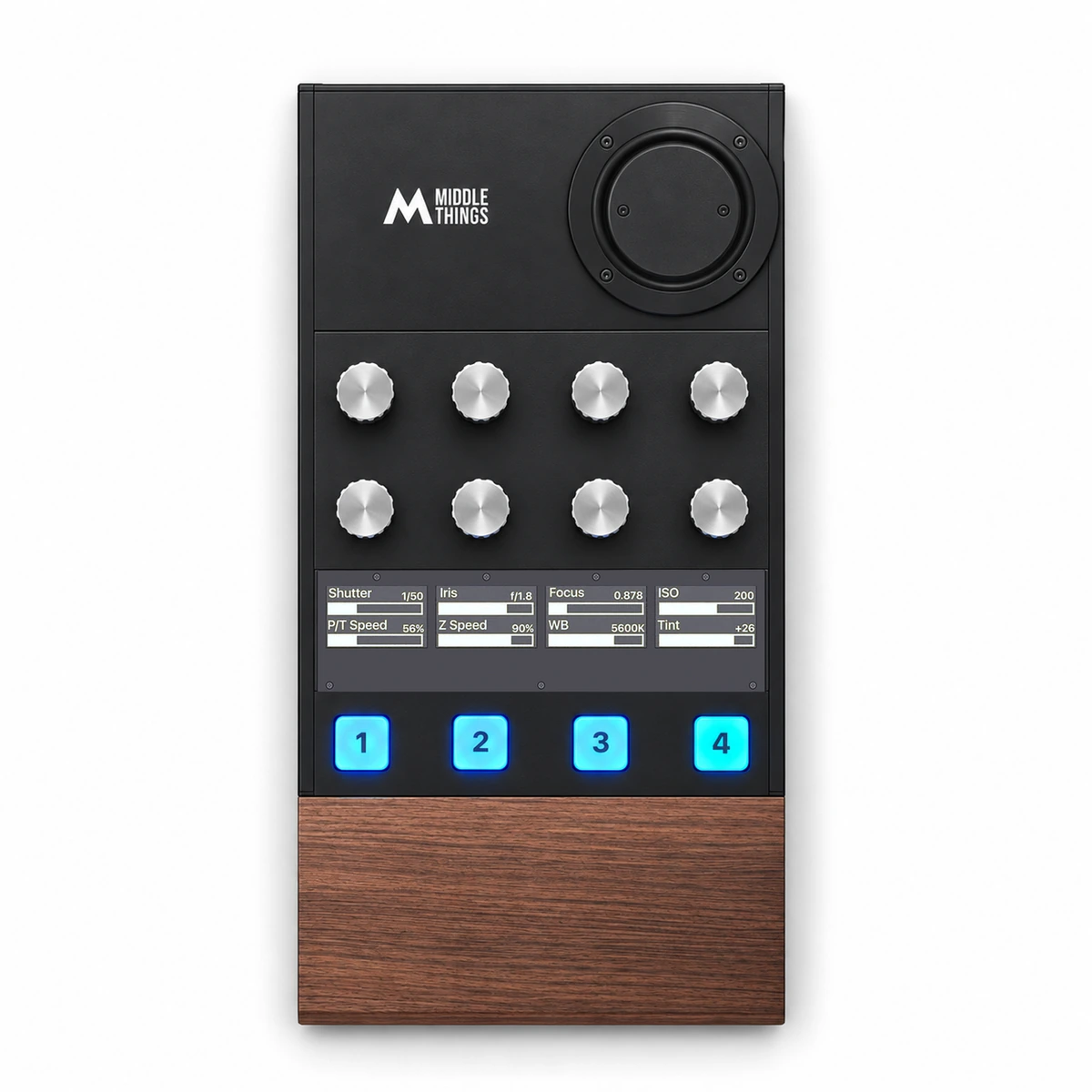
What sits under your fingers
Premium Precision
The Middle Remote design has been optimised to provide you with a maximum level of control while staying as compact as possible.
- A 3-Axis Joystick
Pan, Tilt, and Zoom on a single precision stick. Move horizontally and vertically to pan & tilt. Twist to Zoom in and out. Can be inverted and remapped.
- B 4 Assignable RGB buttons
Hardware-labelled (sticker pack included) and reassignable. Camera ID Selection, Active Track trigger, recording trigger — your call.
- C 8 Touch-Sensitive Dials
Can be mapped to camera settings like Iris · Gain · WB · Tint · Focus · Contrast · Saturation · Master Black · Pan / Tilt Speed and more. Also supports push actions, adding 8 more buttons.
- D 4 OLED displays
Showing the exact settings values (Iris, Gain, White Balance..) in realtime for all the dials.
Every Remote ships with a sticker pack so you can physically label the four RGB buttons by their current action. Re-map the action, peel off the old sticker, drop the new one on.

Compare your control options
Why we recommend the Middle Remote.
The Middle Remote unifies gimbal motion + camera control on a single tactile surface. Make sure your camera / gimbal setup is supported on our compatibility page.
- Gimbal & camera control
- Adjustable Pan / Tilt / Zoom speed
- Virtual joystick & zoom slider
- Gimbal control only
- Pan / Tilt & Zoom control
- No Pan / Tilt speed adjustment
- Medium Pan / Tilt precision
- Gimbal & camera control
- Pan / Tilt / Roll & Zoom control
- Adjustable Pan / Tilt / Zoom speed
- Good Pan / Tilt precision
- Average focus control
- Gimbal & camera control
- Pan / Tilt / Roll & Zoom control
- Adjustable Pan / Tilt / Zoom speed
- Best Pan / Tilt precision
- Very precise focus control
- Compact form factor
- Professional, sturdy aluminium & walnut build
- Live camera values (Iris, ISO, WB…) on the OLED displays
- Custom mapping of every dial / button / joystick axis
- Expandable ecosystem with Glue (more buttons, dials, faders)

Middle Control
Your controls. Your way.
Connect to Middle Control and make every dial, button and joystick axis your own.
-
Dials
Assign camera settings, push actions and sensitivity.
-
Buttons
Camera shortcuts, custom colours and ATEM tally.
-
Joystick
Map each axis. Set direction and dead zone.
-
OLED displays
Your labels and live values, always in view.
Two remotes
Feature Comparison
Same layout, same direct connection to Middle Control, same aluminium-and-walnut build. The Pro adds a Hall-effect joystick, four more dials, four more buttons and PoE.

| At a glance The differences that matter. | Middle Remote€1,390$1,790$1,590 | 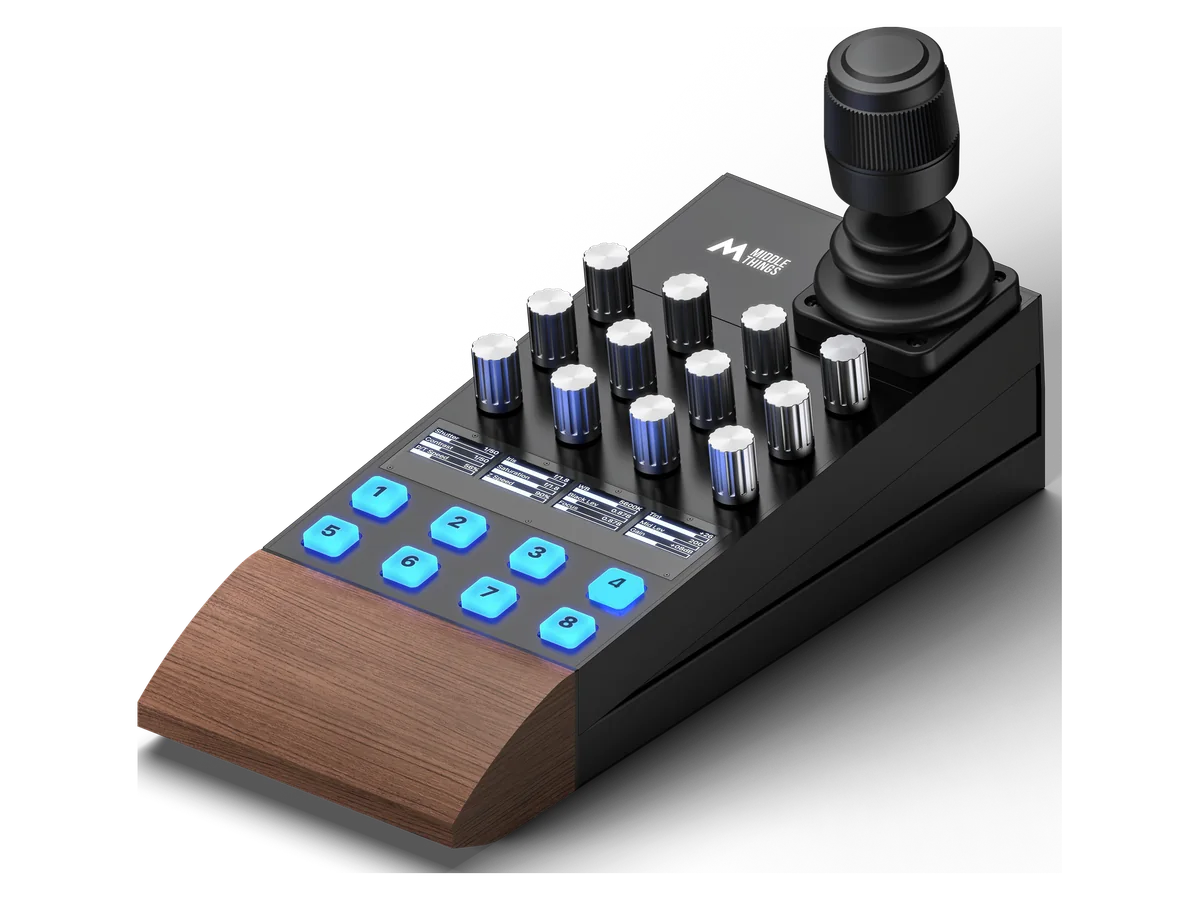 Middle Remote Pro€1,990$2,490$2,276 |
|---|---|---|
| Joystick | 3-axis Pan, tilt and twist | Hall-effect 3-axis Contactless sensors + push button |
| Rotary dials | 8 Touch-sensitive · push action | 12 Touch-sensitive · push action |
| OLED displays | 4 2 live values per display | 4 3 live values per display |
| RGB buttons | 4 Customizable, with preview / program tally | 8 Customizable, with preview / program tally |
| Network & power | USB powered No network connection | PoE Ethernet Power over Ethernet or 12 V DC |
| USB-C | Data + power One USB-C connection | Data only Keep the 12 V supply connected |
| Choose your remote | Buy Middle Remote | Buy Middle Remote Pro See the Middle Remote Pro page → |

A modular approach
Expand with Make Pro X tiles.
The components of the Middle Remote are designed by MakePro X, a German company with whom we have been working very closely on this custom integration. The Remote is made up of button tiles that can be swapped and configured the way you want. This way, the controller will grow with you!


The small print.
Technical Specs
- SKU
- MT-MIDREMOTE
- EAN-13
- 3770018577050
- Controls
- 3-axis joystick · 4 RGB buttons · 8 touch-sensitive dials with OLED displays
- I/O
- USB Type-C
- Input voltage
- 5 V
- Power consumption
- 2.1 W
- Weight
- 720 g / 1.59 lbs
- Dimensions (L × W × H)
- 22.5 × 11.0 × 10.8 cm
- Storage temperature
- −10 to 60 °C / 14 to 140 °F
- In the box
- 1 × Middle Remote, 1 × USB-C cable, 1 × button sticker pack
- Software
- Middle Control (free — macOS 13+ or Windows public beta), direct over USB-C. Make Pro X Glue optional for expanded setups.
- Warranty
- Limited 1-Year Manufacturer Warranty
Get the Remote.
Ships within 24–48 hours via DHL Express. 1-year manufacturer warranty. Direct technical support from the team that built it.